Stop booking jobs across town.
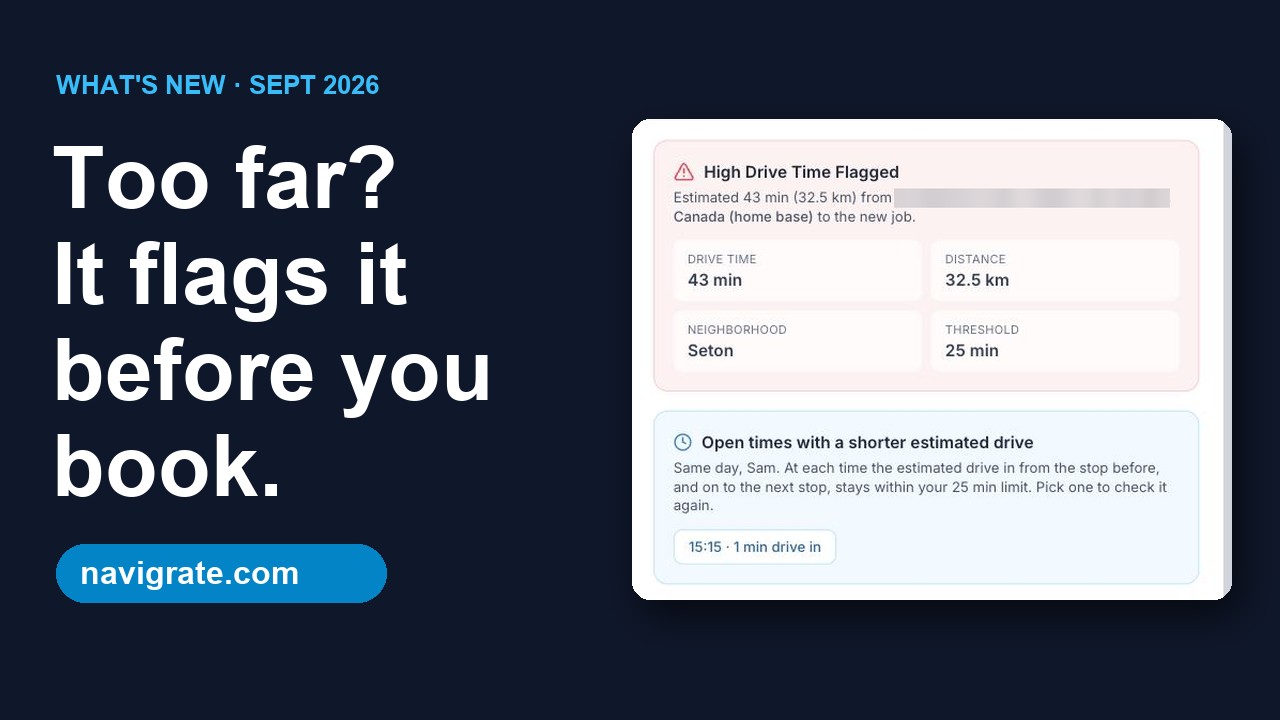
Navigrate flags high-drive-time appointments before you book, so you can pick a better time or a different tech and keep each crew in one part of town.
No credit card required. Full features, up to 3 technicians. Plans from $19/mo.
Watch the short walkthrough
Every screen is from the real app and website: the long-drive flag, bookings up to 12 hours, and pricing.
How it works
Add your technicians
Name, trade, vehicle, home base, and coverage area — your real crew, not a demo.
Book the job
Pick a technician, date, and address from live autocomplete. Takes seconds.
Catch the long drive
Navigrate checks the drive from their last stop and flags anything too far before you commit.
Everything your dispatch board needs
Drive-time flags
Every booking is checked against the technician's last stop and flagged if the drive runs long.
Fix it before you save
When a job is flagged, change the time or the technician and check the drive again, or save it anyway if the trip is worth it.
Day map
See each tech's stops for the day on a Google map, not a static list.
Daily dispatch calendar
A clear hour-by-hour view of each technician's day, click-to-edit.
Technician roster
Track vehicles, coverage areas, and trades for your whole crew.
Works in your area
Anywhere Google Maps has your customers' addresses. Nothing to set up per city.
Every feature on every plan. No per-user fees.
You pay by crew size, not by seat — 3 trucks is $29/mo. Every plan starts with a 14-day free trial: full features, up to 3 technicians, no card required.
Solo
billed monthly
Up to 1 technician · ~$19/tech
- Full dispatch board & daily calendar
- Map of every technician’s stops for the day
- Long-drive flags on every booking
- Technician roster & coverage areas
- Your own drive-time limit, km or miles, 12h or 24h
Starter
billed monthly
Up to 3 technicians · ~$10/tech
- Full dispatch board & daily calendar
- Map of every technician’s stops for the day
- Long-drive flags on every booking
- Technician roster & coverage areas
- Your own drive-time limit, km or miles, 12h or 24h
Team
billed monthly
Up to 10 technicians · ~$7/tech
- Full dispatch board & daily calendar
- Map of every technician’s stops for the day
- Long-drive flags on every booking
- Technician roster & coverage areas
- Your own drive-time limit, km or miles, 12h or 24h
Business
billed monthly
Up to 25 technicians · ~$5/tech
- Full dispatch board & daily calendar
- Map of every technician’s stops for the day
- Long-drive flags on every booking
- Technician roster & coverage areas
- Your own drive-time limit, km or miles, 12h or 24h
All four plans include every feature — dispatch board, schedule, map of stops, drive-time flags, technicians, and settings. Plans differ only by how many technicians you can add, and one crew, truck or person you schedule counts as one technician. More than 25 technicians? Email info@navigrate.com. See full pricing and FAQ
Frequently asked questions
How does Navigrate estimate drive time?
From straight-line distance and an average urban speed. It's a planning aid to catch obviously-long drives before you book — not a turn-by-turn routing engine.
Can I use Navigrate in my city?
Yes. Navigrate isn't tied to any one market — it works anywhere Google Maps has coverage.
Is there a free trial?
Yes — every account gets a 14-day free trial with full features and up to 3 technicians, no card required. After that, pick the plan that fits your crew.
How do I cancel or change plans?
Manage or cancel your subscription anytime from the Plan page in the app, or email info@navigrate.com and we'll take care of it.