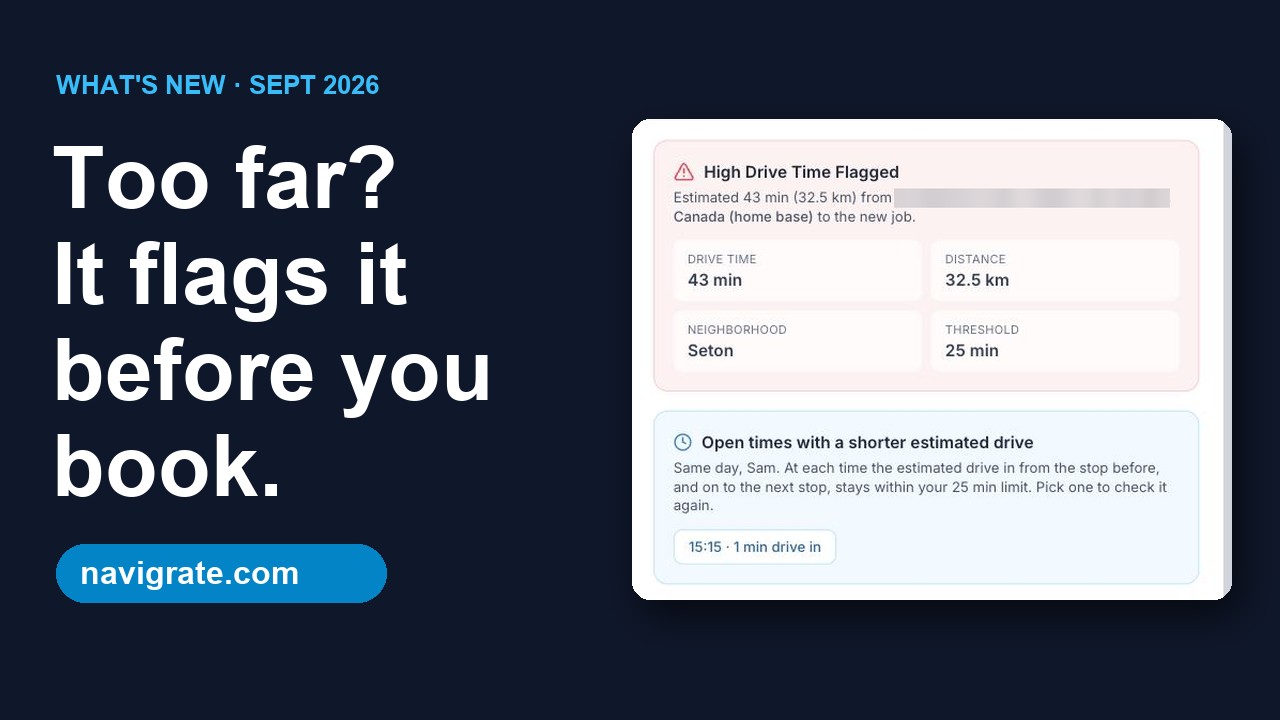
When every call is “my AC is out” or “no heat,” the schedule stacks up fast and the trucks end up crisscrossing the region. Navigrate is a simple dispatch board that checks the drive on every booking and flags the jobs that would send a tech far outside their area.
Built for how HVAC contractors actually run
The summer and winter crush
When the first heat wave or cold snap hits, the calls pile up. Checking the drive on each booking keeps techs working one area at a time, which leaves more room for the overflow.
Maintenance and emergencies, mixed
Planned tune-ups and no-heat emergencies compete for the same trucks. Navigrate flags the bookings that would wreck a tech's day before you commit to a time.
Long drives between spread-out installs
Rural and scattered installs eat the day. The map shows each tech's stops, and the high-drive flag catches the booking that would send a tech far out of their area before it's confirmed.
How it works
Add your crew
Name, trade, home base, and coverage area for each tech. It takes a minute or two per tech.
Book the job
Client, address, time, and job type. As you book, Navigrate checks the drive from that tech's last stop.
Catch the long drive
If the drive runs past your limit, Navigrate flags it before anything's locked in, so you can pick a better time or a different tech.
Worked example: tune-ups booked by time slot, not by area
Made-up numbers to show the math, not a promise. Swap in your own.
Say you run 5 trucks through the first cold snap. On a busy day, 3 of them each pick up one no-heat call outside the area they were working. Each adds 25 minutes out and 25 back.
3 trucks × 1 call × 25 min × 2 ways = 150 minutes of extra driving a day
150 min × 5 working days = 750 minutes a week, around 12 and a half hours
Your week will differ. Two trucks, 15 minutes each way, 2 days a week: 2 × 15 × 2 × 2 = 120 minutes. Run it with your own drives, or use the drive-time cost calculator.
When you book the call, Navigrate estimates the drive from that tech’s previous stop, or from their home base for a first job, using straight-line distance at about 45 km/h (28 mph). With the default 25-minute limit, a job more than roughly 19 km (12 miles) away in a straight line gets flagged. You decide: keep it, move it to a day that tech is already out that way, or give it to someone nearer.
Rural installs are where the estimate is furthest off, because a straight line ignores the concession roads you actually drive. Set a lower limit if your area is spread out. See our guide on how to cut drive time between jobs.
Getting your first week in
The 14-day trial covers up to 3 technicians, no card. Set it up before peak season, not during it.
Set your limit for your service area
In Settings, the drive-time limit runs from 10 to 90 minutes and starts at 25. Pick km or miles.
Add each technician
Under Technicians, add the tech or truck, choose HVAC, and set home base to your shop. Add a vehicle ID and the area they normally cover.
Book a week of tune-ups and service calls
Enter each job with a start time and a length from 30 minutes to 12 hours, so a 90-minute tune-up and a full-day changeout both fit.
Analyze before you confirm
Analyze Route shows the estimated minutes and distance from that tech’s previous stop. If it’s flagged, swap the tech or the time, or confirm anyway.
Walk each truck’s day
In Routes, pick a technician and date to see numbered stops, with over-limit legs in red. When a no-heat call jumps the queue, reassign from the job’s details.
Common questions
Can I book a full-day furnace or AC changeout?
Do maintenance-agreement visits repeat automatically?
Does the coverage area stop a tech being booked outside it?
Does Navigrate know which tech is certified for a given system?
Does it tell the customer the tech is on the way?
How does Navigrate estimate drive time?
How long does setup take?
I'm not techy. Is it hard to use?
What does it cost?
Keep reading
- Still deciding if you need a dispatch board? See what dispatch software is, and how to tell if your shop needs it. You pay by technician count; see Navigrate pricing.
- Doing plumbing or electrical work as well? See Navigrate for plumbers, or Navigrate for electricians.
Stop booking jobs across town
Try Navigrate free for 14 days on next week's schedule. No card needed.
Start your free trial → From $19/mo · every feature on every plan · cancel anytime