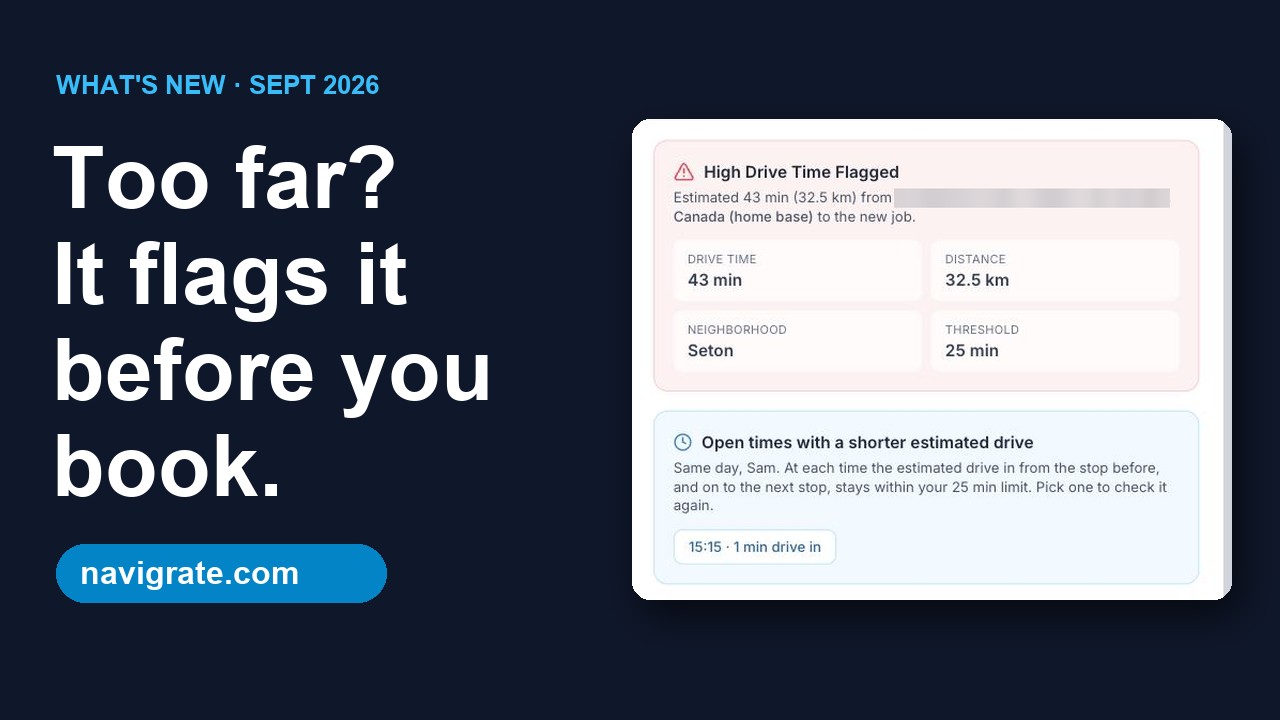
When the snow starts, every account needs clearing at once and the clock is against you. Residential drives and commercial lots are scattered across the region, and a plow doubling back is time you don't have. Navigrate is a simple dispatch board that checks the drive on every booking and flags the accounts that would strand a truck.
Built for how snow removal companies actually run
Storm days when everything's due at once
After a snowfall every account needs service in a tight window. Each driver's day has its own board and map of stops, so you can spot a truck that's doubling back across town.
Accounts scattered across the region
Residential drives and commercial lots spread all over add up to wasted plow time. The high-drive flag catches the booking that sits far from a driver's previous stop.
Catch the out-of-zone account before you book it
The high-drive flag warns you when a property sits far from a truck's previous stop, so you can book it into another driver's run instead.
How it works
Add your crew
Name, trade, home base, and coverage area for each tech. It takes a minute or two per tech.
Book the job
Client, address, time, and job type. As you book, Navigrate checks the drive from that tech's last stop.
Catch the long drive
If the drive runs past your limit, Navigrate flags it before anything's locked in, so you can pick a better time or a different tech.
Worked example: a storm push with a few far-off accounts
Made-up numbers to show the math, not a promise of results. Plug in your own.
Say you run 4 trucks. On one push, 3 accounts on one truck’s list sit outside its zone, and each adds 20 minutes out and 20 back.
3 accounts × 20 min × 2 ways = 120 minutes on one truck, one storm
At about 15 minutes a driveway, 120 ÷ 15 = time for 8 more driveways. Over 10 storms, that’s 20 hours on one truck.
Snow also slows every drive. Navigrate’s estimate assumes about 45 km/h (28 mph). If your trucks average 30 km/h on storm roads, a drive it estimates at 20 minutes takes about 30: 20 × 45 ÷ 30 = 30. So on storm days you may want a lower limit.
When you book an account, Navigrate estimates the drive from that truck’s previous stop, or from the yard for its first stop, and flags it if it’s over your limit. You decide: keep it, give it to the truck that covers that zone, or move the time. See our guide on how to cut drive time between jobs.
Getting your first week in
The 14-day trial covers up to 3 trucks, no card. Set it up before the first snowfall, not mid-storm.
Set your limit for winter roads
In Settings, the drive-time slider runs from 10 to 90 minutes and starts at 25. Pick km or miles.
Add each truck
Under Technicians, add the driver or truck, choose Snow Removal, and set home base to your yard. Add the plow’s vehicle ID and a zone like “North Zone.”
Book one storm’s accounts
Enter each property with a start time and a length from 30 minutes to 12 hours. Use notes for where to pile the snow.
Analyze before you confirm
Analyze Route shows minutes and distance from that truck’s previous stop. If it’s flagged, swap the truck or time, or confirm anyway.
Walk each run, then adjust
In Routes, pick a truck and date to see numbered stops, with over-limit legs in red. Truck down? Open a job’s details to reassign it.
Common questions
Can seasonal accounts repeat every storm?
What happens when a storm hits?
Does a truck's zone stop it from being booked elsewhere?
Does it tell customers their lot is cleared?
Snow is only a few months a year. Is there a seasonal plan?
How does Navigrate estimate drive time?
How long does setup take?
I'm not techy. Is it hard to use?
What does it cost?
Keep reading
- Still deciding if you need a dispatch board? See what dispatch software is, and how to tell if your shop needs it. You pay by truck count; see Navigrate pricing.
- Running landscaping crews in the summer? See Navigrate for landscapers.
Stop booking jobs across town
Try Navigrate free for 14 days on next week's schedule. No card needed.
Start your free trial → From $19/mo · every feature on every plan · cancel anytime