If you run a plumbing, HVAC, electrical, landscaping, or other field-service shop with a handful of techs, you've probably looked at Jobber — and wondered if it's more than you need. This is a fair, no-spin comparison from us (Navigrate), so you can decide fast.
The short version
Choose Jobber if…
- You want one all-in-one system for quotes, invoicing, payments, and CRM
- You're ready to invest time learning a broader tool
- Client billing and estimates matter as much as scheduling
Choose Navigrate if…
- Your daily pain is messy dispatch and wasted drive time
- You want it set up in minutes, not a week
- You'd rather pay from $19/mo for the part that hurts, not a whole suite
Side by side
| Navigrate | Jobber | |
|---|---|---|
| Starting price | From $19/mo · every feature · 14-day free trial | Core $49/mo billed monthly or $29/mo billed yearly (1 user); route optimization starts on Connect, $139/mo monthly or $99/mo yearly. Core is for 1 user, so teams of 2–5 start on Connect at $199/mo monthly or $149/mo yearly (5 users included; checked 16 Sep 2026) |
| Best for | Small shops (built for 2–10 techs, plans up to 25) that want a simple dispatch board with a drive check | Shops that want a full all-in-one suite in one place |
| Route optimization (re-ordering stops) | No — Navigrate checks the drive when you book instead | Yes, on Connect and higher plans |
| Drive check at booking time | Yes — a straight-line drive estimate from the tech's last stop, flagged before you book | Check getjobber.com for current scheduling features |
| Setup time | Minutes | More to set up and learn — it does more |
| Quoting / invoicing / CRM / payments | No — focused on dispatch and drive checks | Yes — that's its strength |
| The pitch | Fix the two things that hurt daily, cheaply | Run your whole back office in one place |
Why a focused board can be the better buy
Built around the moment you book
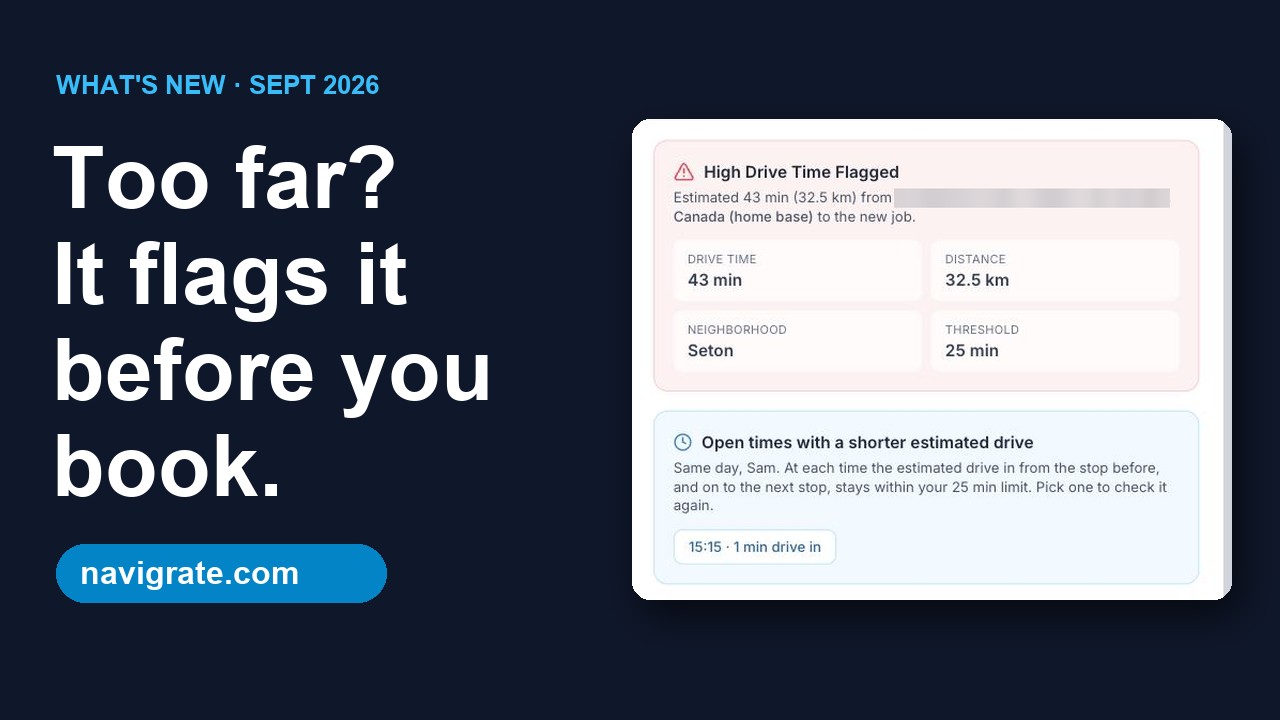
As you book, Navigrate checks the drive from the tech's last stop and flags a job that would blow up the day, so you can pick a better time or a different tech. It's a planning check, not turn-by-turn navigation, and it's the core of the product rather than one feature among dozens.
You're live in minutes, not a week
Add your techs and start booking. There's no import from Jobber yet, so enter next week's jobs and run both side by side for a week. An in-app assistant helps if you get stuck.
From $19/mo — less than a tank of gas
You're not paying for invoicing and CRM you may already handle elsewhere. Every plan includes every feature, priced by crew size.
Less to learn, on purpose
Skeptical of software that takes a week to figure out? So are we. Navigrate does less, so there's less to fight with.
Common questions
I already use Jobber — should I switch?
Does Navigrate do invoicing and quotes?
Is Navigrate really cheaper?
How long does setup take?
Stop booking jobs across town
Try Navigrate free for 14 days on next week's schedule. No card needed.
Start your free trial → From $19/mo · cancel anytime