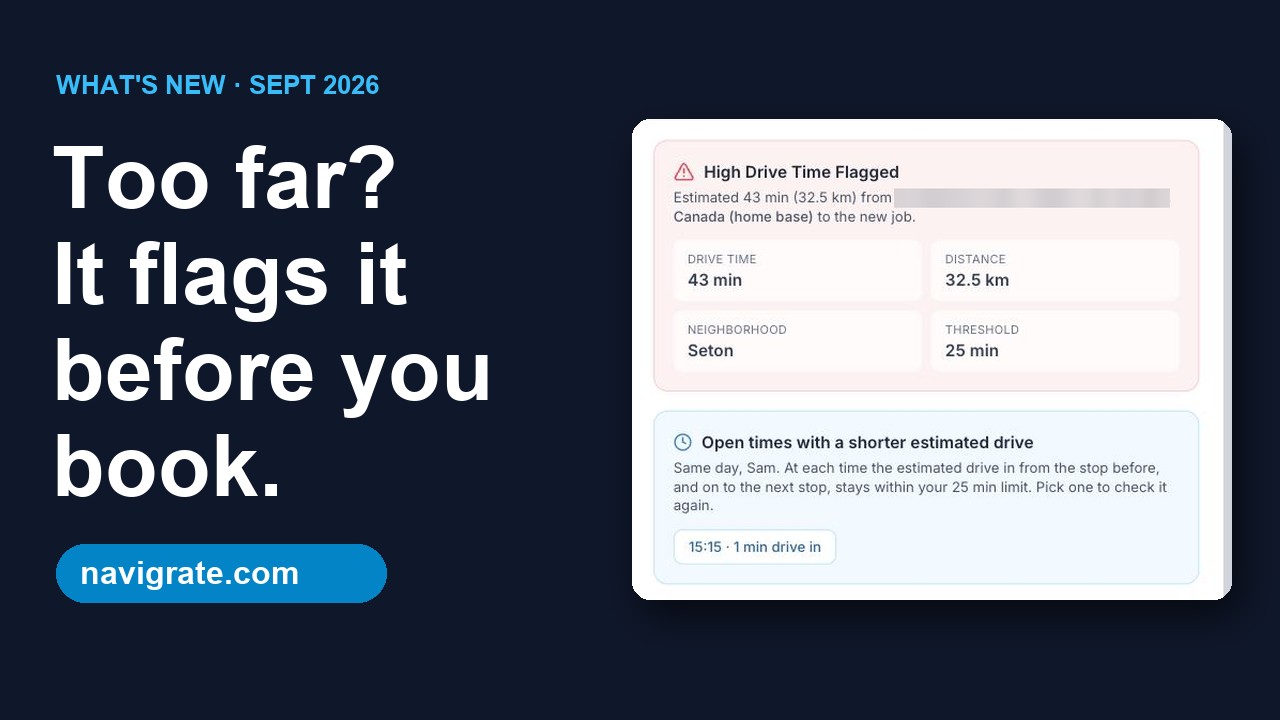
Enter your own numbers to see the truck-hours and dollars that bookings with a longer-than-needed drive add up to. Free, no sign-up.
Example numbers are filled in. Change them to yours.
Count each truck or crew you schedule.
Bookings that sent a tech across town when a nearer time or tech would have worked. Check last week to get a real number.
The drive there and back to the next stop, minus what the nearer option would have taken.
Your billable rate, or wages plus truck costs. Add fuel here if you want it counted.
Lower it for seasonal work.
Extra driving a week
10 truck-hours
Worth, at your hourly value
$1,000 a week
Over a working year
This isn't a promised saving. It puts a number on the extra driving you describe, using only your inputs. Navigrate flags a booking whose estimated drive runs past your limit before you book, so you can pick another time or tech. You still decide, and some long drives are worth making.
How to count your long-drive bookings
Pull up last week's schedule and go day by day, one truck at a time.
Mark each booking where the tech drove across town and a nearer time or a nearer tech was open that day.
Estimate the extra minutes each one added: the drive there and on to the next stop, minus what the nearer option would have taken. Drive times from a map app are fine.
Divide the marked bookings by trucks and days to get a per-truck, per-day number.
How it's calculated
Extra minutes a week = trucks × working days × long-drive bookings per truck per day × extra minutes each.
Truck-hours a week = those minutes ÷ 60. Dollars a week = truck-hours × what an hour is worth. A year = a week × working weeks.
It doesn't count fuel or wear unless you add them to the hourly value, and it doesn't count lost jobs, overtime or late arrivals.
Ways to bring the number down
One way to bring it down is to check the drive before you commit to a time. How to cut drive time between jobs has seven ways to do that, with or without software. Still on a whiteboard? Whiteboard vs dispatch board covers when that's fine and when it isn't.
See Navigrate in under 90 seconds
Every screen is from the real app and website: the long-drive flag, bookings up to 12 hours, and pricing.
Common questions
Is this how much Navigrate would save me?
No. It estimates what the extra driving you describe is worth, using only your numbers. Navigrate flags a booking whose estimated drive runs past your limit before you book, so you can pick a different time or tech, but you still make the call, and some long drives are worth it.
What hourly value should I use?
Whatever an hour of a truck and tech is worth to you. Some owners use their billable rate, because a driving hour is an hour not on a job. Others use wages plus truck costs. Try both and see the range.
How do I know how many bookings had a longer drive than needed?
Go through last week's schedule one truck and one day at a time, and mark each job that sent a tech across town when a nearer time or tech was open. That count is more useful than a guess.
What happens to the numbers I type?
You don't need an account, and nothing is required of you: the result appears as you type and the email box below it is optional. If you do email yourself the result, the numbers you entered are saved along with your address (see the next question). Otherwise they stay in your browser. This site uses PostHog analytics (see our Privacy Policy): when you leave the page after changing the numbers, it records that the calculator was used and the numbers you ended with. If you copy or open a link with numbers in it, the page address, numbers included, is recorded with the page view. If you've signed in to Navigrate in this browser, that activity can be linked to your account ID.
Do I have to give you my email?
No. The calculator works fully without it, and the result is on screen before the email box is even reached. If you do want the figures emailed to you, we send exactly one message with your numbers in it. We keep that address, the numbers you entered, the result and the date, plus a scrambled one-way copy of your IP address that we use only to stop the form being used to send mail to other people. If you tick the box below as well, we also record when you ticked it and the exact wording you agreed to. You can see our Privacy Policy for how long we keep it, and ask us at info@navigrate.com if you want it deleted.
Will you email me again after that?
Only if you tick the box that says so, which is unticked to begin with, and then confirm. Ticking the box on its own does nothing: the result email asks you to click a confirm link first, so that nobody can sign you up by typing your address into this form. Once you confirm, you may hear from us about once a month with ways to cut drive time, and every one of those emails carries a one-click link to stop them. Leave the box unticked and you get your result and nothing else, ever.
Can I share my result?
Yes. The page address updates as you type, so copying it shares the same numbers.
Try the drive check on next week's jobs
14 days free, every feature, up to 3 technicians. No card needed.