Plenty of small shops run the day on a whiteboard, a shared calendar or a group text, and it works. The trouble starts when nobody can see how far apart the day's jobs are until a tech is already driving. Here's an honest look at each option, including when to keep the whiteboard.
Who wrote this: Navigrate, which makes one of the options below. We've tried to be fair, including about what we don't do yet.
The short answer
- You run 1 or 2 trucks in a small service area.
- Most days are planned the evening before, with few same-day calls.
- Drive time between jobs isn't what's eating your day.
- Everyone who needs the schedule is in the shop each morning.
- You're at 3 or more trucks and the board is getting crowded.
- You book same-day calls into gaps and don't always know where that tech will be.
- Techs keep crossing town and back in the same day.
- The whole day lives in one person's head.
Side by side
| Whiteboard or paper | Spreadsheet | Shared calendar (e.g. Google Calendar) | Group texts | Navigrate | |
|---|---|---|---|---|---|
| Cost | $0 | $0 | Free with a Google account | $0 | $19 to $129 a month by crew size; $29 for 3 technicians |
| Who can see the day | People in the office | Whoever has the file | Anyone you share the calendar with, on a phone | Whoever is in the thread | Whoever signs in to your account, on any browser. Technicians don't get their own logins yet. |
| Every tech's day side by side | Yes, if the board is big enough | Yes | Yes, with a calendar per tech | No | No: one tech's day at a time, picked from a list |
| Knows where the tech was just before a new job | Only in someone's head | No | No (you can add travel time by hand from an address you type) | No | Yes: the previous booking that day, or home base |
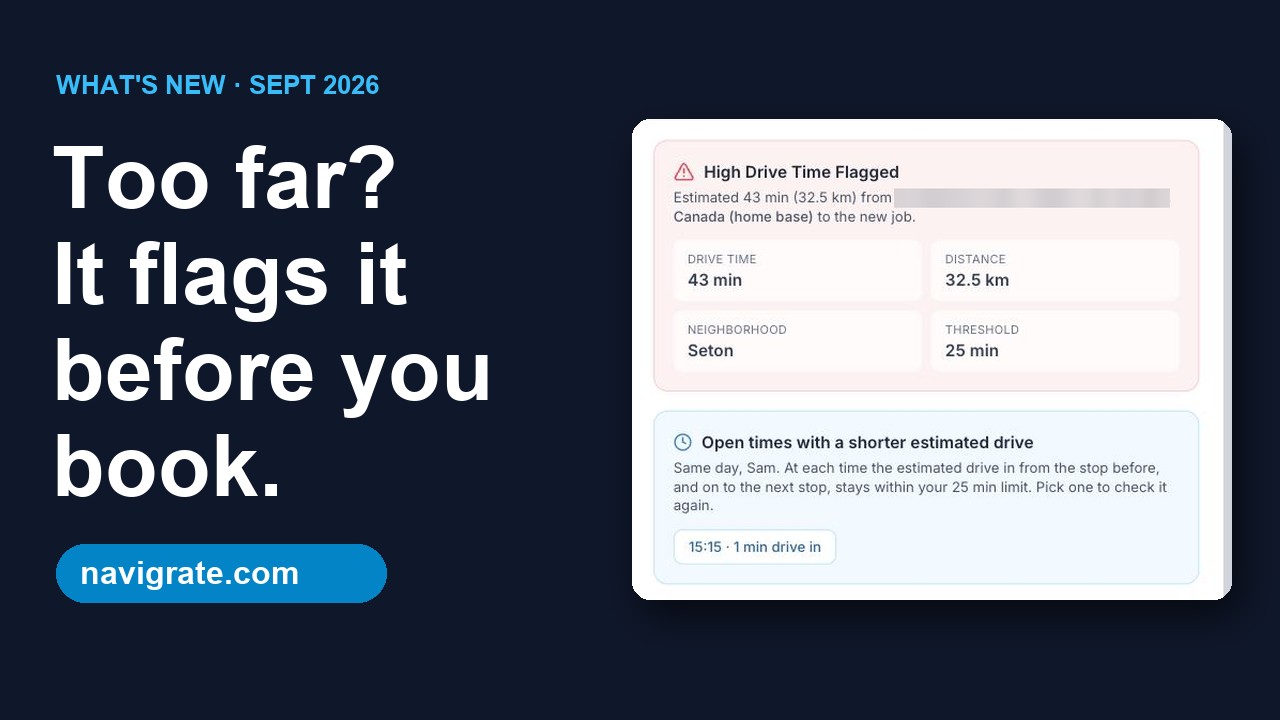
| Flags a long drive as you book | No | No | No | No | Yes, against your own limit (a straight-line estimate) |
| Map of a tech's stops for the day | No | No | No | No | Yes |
| Warns you about double-bookings | No | No | No | No | No, not yet |
| Works with no internet | Yes | Yes for a file on your computer; Google Sheets only if offline mode is on | Needs a connection to sync | Needs signal | No |
Scroll sideways on a phone. Google Calendar is a trademark of Google LLC, named as an example only.
What a whiteboard can't tell you
A whiteboard shows who's free at 2 pm. It doesn't show that the 1 pm job ends on the other side of town from the 2 pm address. That check happens in someone's head, when they remember to do it, while the customer is waiting on the phone.
A shared calendar fixes who can see the day, which is a real improvement. It still doesn't compare a new job's address with where that tech will be just before it.
Put your own number on it
Take a normal week and count how many bookings sent a tech across town when a nearer time or tech was open. Multiply by the extra minutes each one added, then by your trucks and days.
Example numbers, not a promise: if 2 bookings a day each add 20 minutes of driving, across 3 trucks and 5 days that's 10 truck-hours a week spent driving instead of working. Use your own numbers; nobody can tell you yours without your schedule, including us.
Run your own numbers in the drive-time cost calculator. More ways to cut the drive, with or without software: How to cut drive time between jobs.
Trying a board without the chaos
- Add your technicians with their home base, so the first job of the day is checked from where they start.
- Set your long-drive limit in minutes (the default is 25).
- Enter next week's jobs as you book them. There's no import yet.
- Keep the whiteboard up for that week too, and compare.
- Decide before the 14-day trial ends. If you don't pick a plan, your data stays and you can still see and edit your jobs, but you can't add new ones until you pick a plan.
What Navigrate doesn't do
- Quotes, invoicing, payments or a customer database. Keep your accounting tool for those.
- Route optimization. It won't re-order a day's stops; it checks each booking's drive as you make it.
- Real road distances or traffic. The drive check is a fast straight-line estimate.
- Importing jobs or customers. Jobs are added as you book them for now.
- Customer reminders or texts, or repeating jobs.
- A phone app. Navigrate runs in any web browser, including on a phone.
- Warn you when two jobs overlap for the same tech, or show every tech's day on one screen. Open that tech's day and check the time before you save.
- Give technicians their own logins. The board opens in a phone browser for whoever is signed in to your account.
See Navigrate in under 90 seconds
Every screen is from the real app and website: the long-drive flag, bookings up to 12 hours, and pricing.
Common questions
Is a whiteboard really a problem?
Can't I just use Google Calendar?
Can my technicians see their schedule in Navigrate?
Does Navigrate stop double-bookings?
What does it cost after the trial?
Already looking at software? See how Navigrate compares with Jobber, Housecall Pro and others.
Try the drive check on next week's jobs
14 days free, every feature, up to 3 technicians. No card needed.
Start your free trial → 3 technicians = $29/mo · every feature on every plan